

Part of the SIEM problems enterprises face is failing to maintain it with the proper correlation rules.
SIEM use cases or rules are 80% of the value of the product. All SIEM solutions have a correlation feature, but they are not the same. Before choosing a SIEM, you must check correlation capabilities. Each product has many different features and their advantages and limits.
Some examples of correlation limits from product user guides and product's websites.
AlienVault:
AlienVault is a great product and combines many open source tools like vulnerability scanner and asset manager. There are some limits on correlations like:
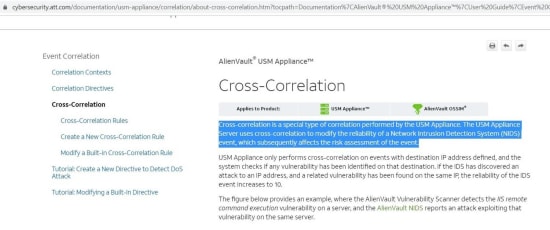
“Cross-Correlation can only run on (just) IPS and Vulnerability Scanner logs and the combining on just IP addresses”.
“AlienVault uses 4,500 built-in “correlation directives” for threat correlation and most them are just for AlienVault NIDS”.
There is a limit on list management. Dynamic List usage in correlation rules is not supported in AlienVault.
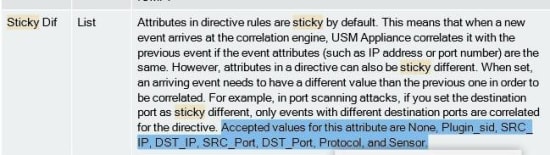
Also, keep in mind that AlienVault correlation engine has sticky diff restrictions.

LogPoint:
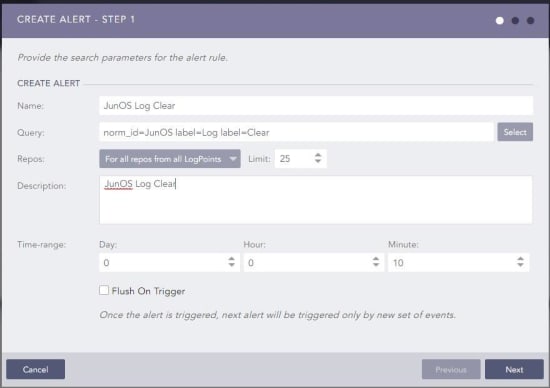
LogPoint is a great tool and listed in Gartner in 2020. LogPoint user guide has details about alerts. Use case development is only with developing a search query.
ManageEngine:
ManageEngine EventAnalyzer SIEM is a good product and has many fantastic reporting features. When it comes to correlation, ManageEngine EventAnalyzer SIEM does not parse Firewall Traffic, IPS, Proxy, etc logs. Just configuration and authentication logs. So correlation rules cannot include Firewall Traffic, IPS, Proxy, etc. details.
ManageEngine EventAnalyzer SIEM has predefined rule templates. So you cannot create a rule from scratch. You have to select one predefined rule from templates.
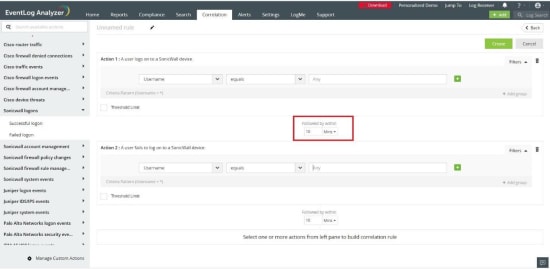
Examples of other limits:
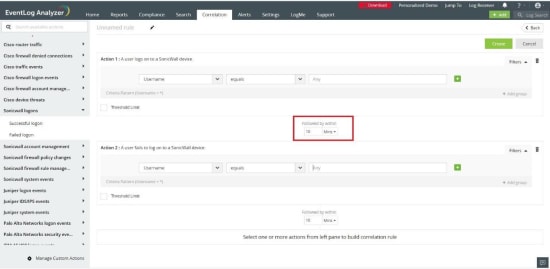
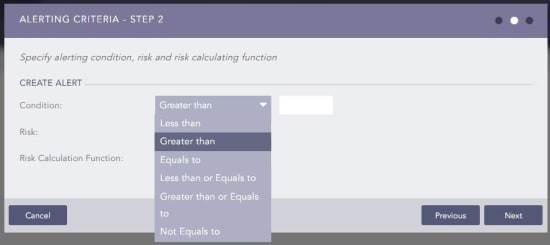
Eventlog has many missing operators like:
Solarwinds SIEM:
Solarwinds SIEM is a good product and has many good features. When it comes to correlation:
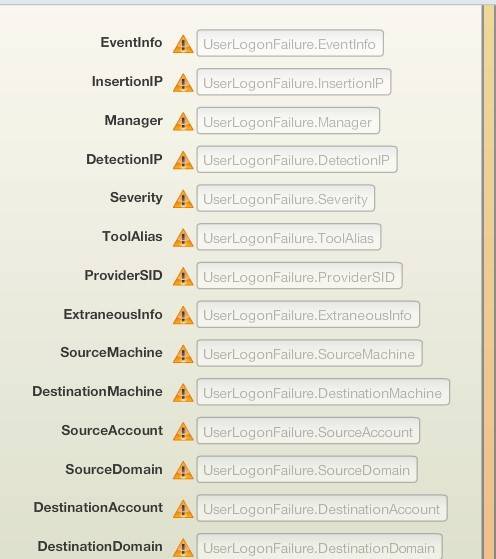
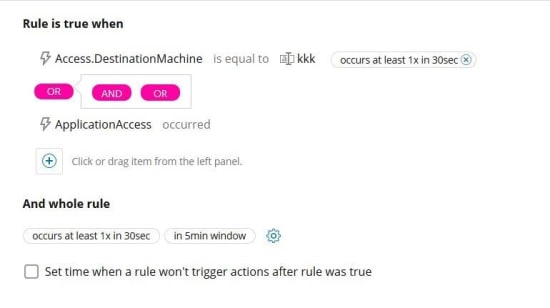
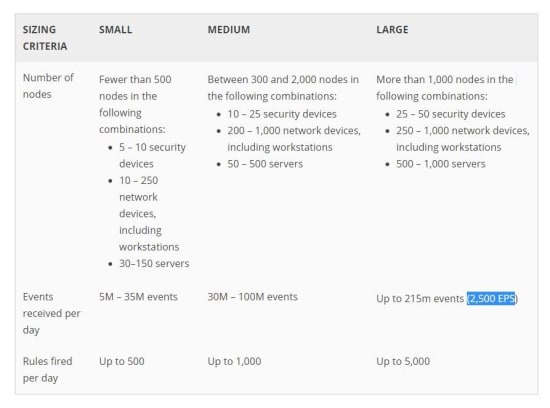
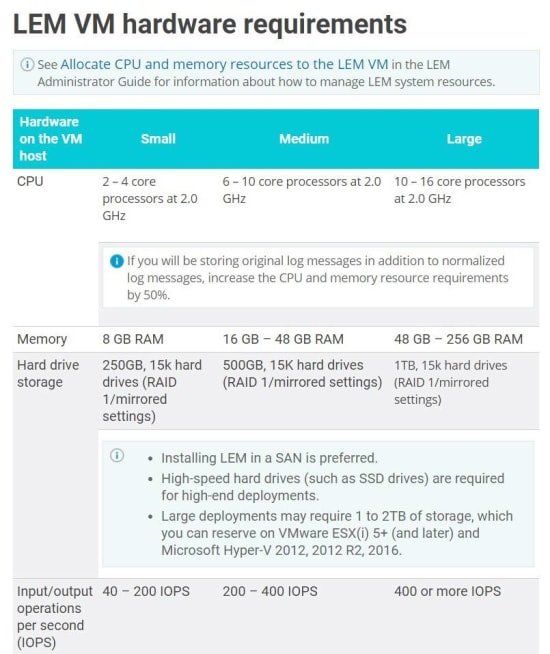
You should also check system requirements and performance limits up to 5000 rule execution per day
Splunk:
If you think about SIEM, you have to consider Splunk ES. Splunk Core/Enterprise is not a SIEM product. Splunk is a great product. Splunk says that:
"Each real-time search "unpreemptively" locks 1 core on EVERY INDEXER and on your Search Head”.
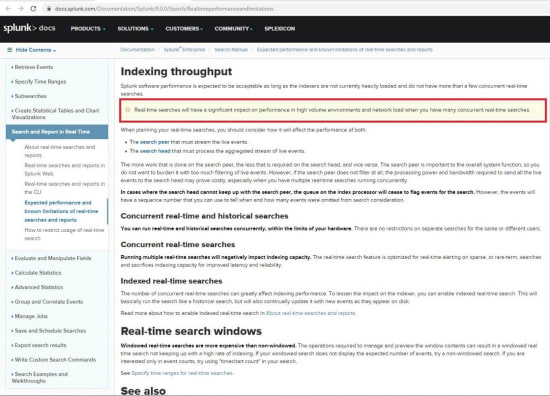
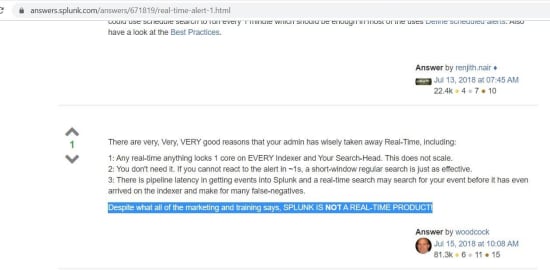
Also, there is no functional real time detection.
McAfee:
EPS:
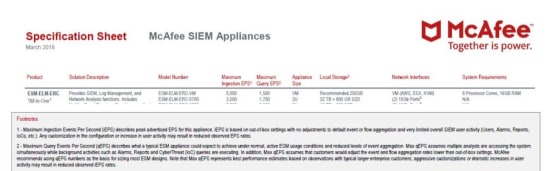
Maximum Ingestion Events Per Second (EPS) describes the peak advertised EPS for this appliance. iEPS is based on out-of-box settings with no adjustments to default event or flow aggregation and very limited overall SIEM user activity (Users, Alarms, Reports, loCs, etc.). Any customization in the configuration or increase in user activity may result in reduced observed EPS rates.
2 - Maximum Query Events Per Second (gEPS) describes what a typical ESM appliance could expect to achieve under normal, active ESM usage conditions and reduced levels of event aggregation. Max qEPS assumes multiple analysts are accessing the system simultaneously while background activities such as Alarms, Reports and CyberThreat (loC) queries are executing. In addition, Max qEPS assumes that customers would adjust the event and flow aggregation rates lower than out-of-box settings. McAfee recommends using QEPS numbers as the basis for sizing most ESM designs. Note that Max qEPS represents best performance estimates based on observations with typical larger enterprise customers; aggressive customizations or dramatic increases in user activity may result in reduced observed iEPS rates.
https://community.mcafee.com/t5/Security-Information-and-Event/Mcafee-SIEM/td-p/617728
MacAfee SIEM All-in-One VM correlation maximum limit is 1500 EPS.

McAfee SIEM is a powerful SIEM. If you want to dig into correlation details, you will see some comments on the McAfee SIEM blog like:
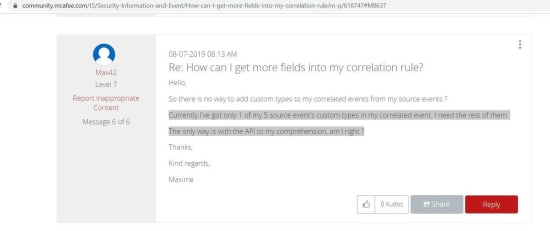
If a use case has many rules (for example 5 rules), currently McAfee will get only 1 of these 5 source event's custom types in the use case.
The only way is using the API.
No Case insensitive option when using watchlists.
There are some limits on correlation fields:
if I see a user attempt to login to our VPN from two different "regions" within a three-hour window.
I have the logic built but in the correlation rules "Advanced Options" I try to set a 'Distinct values' of 2.
But the monitored fields only seem to provide the 'Source Geo location' option but not the ability to select: state, region, country, etc.
Non-Supported rule types:
Rule chain:
if a firewall admin login has occurred and after this login action there is n configuration change immediately (within 15 minutes) but if there is a change in the firewall within 12 hours, notify
Threshold rules:
Destination IP is 1.1.1.1 and destination port is 389 and sent_bytes > 100000 (total) in time frame of 10 minutes and group by source IP.
I want to know how many SQL injection attack events from a single IP for 5 minutes. I know that I can set a threshold. But I want to know the exact number.
SUM type of thresholds are not supported
If I want to detect total downloads within 5 minutes more than 500 Mb, it is not possible with Mcafee
If the correlation is important, you may consider reading technical documents. Some remarkable examples of limits and notifications are given above. There are many other SIEM solutions like IBM Qradar, Arcsight, FortiSIEM, SureLog, RSA, LogRhytm. You have to check what the product user guides and technical documents say in detail about correlation.
Correlation and detection capabilities are important. In order to choose a SIEM according to correlation capabilities you should also check if those use cases supported: